Another SSD Fails, and RAID1 Saves the Day
2025-12-27
Based on my personal experience, the first to fail in a contemporary personal computer is its SSD, which is sad because it happens to be the very component that is irreplaceable. Yes, you could replace it physically, sometimes even free of charge thanks to warranty, but the data it contains is unique and the result of thousands of hours of your hard work. However, when a 1TB SSD from Western Digital failed recently, it was just a fun experience for me. Some simple precautions helped me retain all the data, making me feel relieved and proud.
The fundamental precaution was the use of RAID1 or Mirroring, in which anything you do in a disk volume is mirrored across multiple devices. I had an 871 GiB (936 GB) volume mirrored across two consumer-grade 1TB SATA SSDs (one from WD and one from GIGABYTE), and when one failed, all I had to do was remove the faulty one to get the system working again (well, a bit more than that because my setup wasn't perfect).
TLDR:
- Off-site, offline backups are important, but use RAID1 for hassle-free and up-to-date recovery.
- Encryption will help you send your disks back for warranty replacement.
- WD Blue SA510 seems to have some known issue.
- UPDATE: I got it back after sending it for warranty replacement; looks like they just updated the firmware and reformatted it.
The Exact Experience
This is how it happened: I was copying hundreds of gigabytes of data from a hard disk to the RAID1 volume that I had mentioned earlier, and all of a sudden, my computer blacked out. There was nothing on the screen, and not even the magic SysRq keys were working. When I rebooted forcefully, it took a while for even the bootloader to appear, and I was almost sure it was a disk issue. When the GRUB menu showed up finally, it had corrupt characters, and Linux logged I/O errors during boot, finally freezing.
I had the OS on the WD, so it was easy to identify the faulty one. When removed and attached to a different machine, it was recognized, but the kernel was unable to read the superblock.
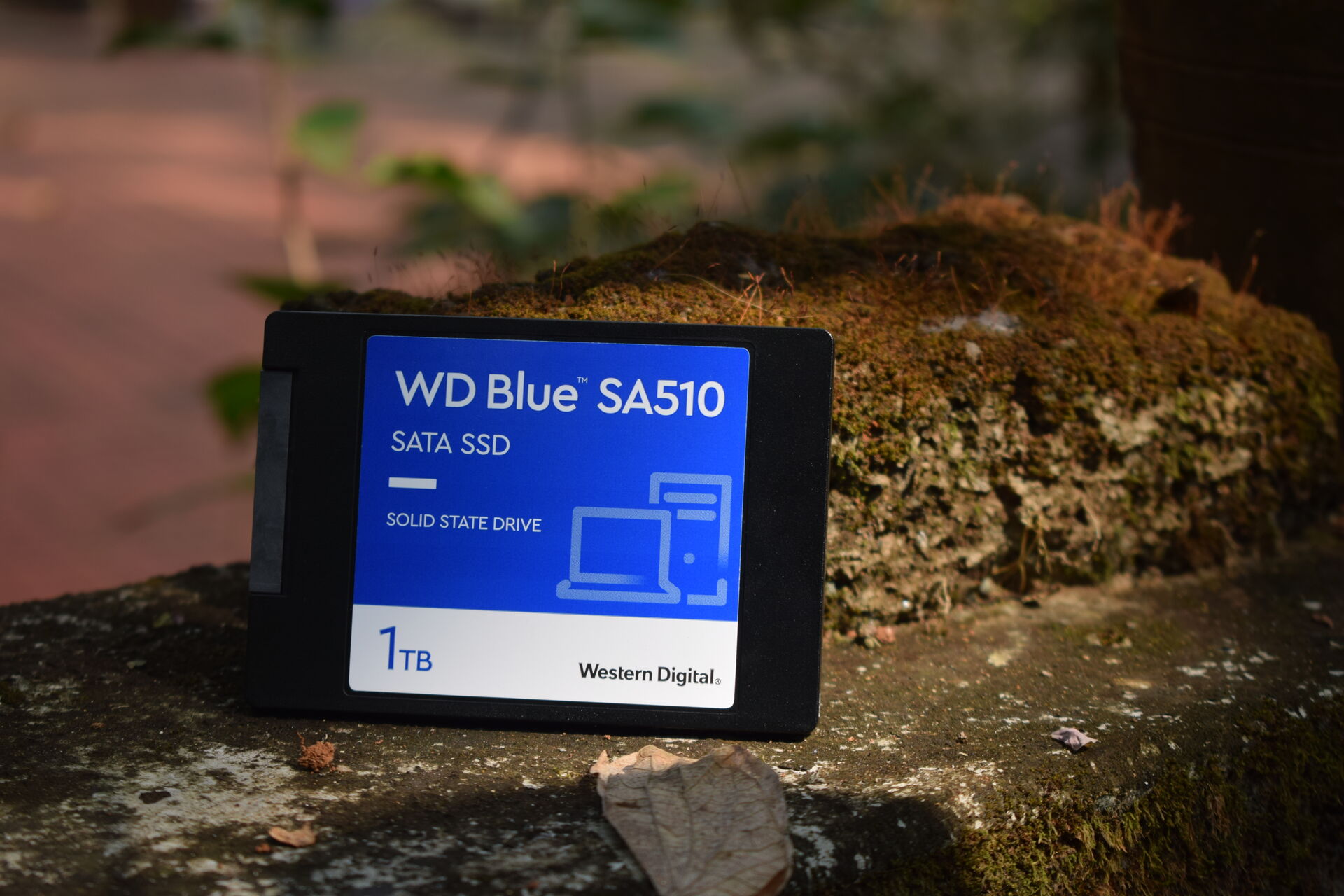
Then I attached a spare 1TB hard disk to my primary machine, booted it using Ubuntu Live, made sure the other SSD (the GIGABYTE one) was okay, added the spare hard disk to the RAID array, and let it rebuild. You can of course use the volume without attaching a spare, but it is always safe to get the array healthy again before doing anything further.
Once the array was in sync within a couple of hours, I had a fresh Debian installation. Yes, I had to do that because I didn't have the OS under RAID1, but that was okay because I wanted to do a fresh installation anyway, and almost all my configuration was safe because I had my home directory under RAID1. So after installing Debian and setting up a couple of things like crypttab and fstab, I was back on track.
Why and Why Not Backups
Regular, off-site, and offline (i.e., disconnected) backups are important even if you have RAID1. The major problem with RAID1 is its main benefit---anything that happens on one disk is mirrored to the other. This means if you accidentally delete a file or if your files get altered by malware, that happens on both copies, making redundancy useless. Moreover, both the disks stay connected always, which means something like a power surge could affect both of them.
The reason I still do RAID1 when I have the habit of taking offline backups is the clutter that backups lead to. Restoring your workstation from outdated and duplicated backups when something goes wrong is never fun.
Encryption and Warranty
One thing that I'm particularly happy about is my decision to use encryption on top of RAID1, even though I had it on a laptop that I didn't carry around (one should always use encryption in portable machines because they are easily lost or stolen).
While encryption could make data recovery hard in some cases, it is only beneficial if you are using RAID1. You are using RAID1 means you are not worried about recovering bits and pieces of data. You can afford to forget the faulty disk. How encryption helps is that you can send it back for warranty replacement without worrying about important data being exposed. I had a 480GB SSD that failed during its warranty period, which I didn't send for warranty replacement because it contained important data like SSH keys. This time, I can safely send it back.
Reliability of Western Digital SA510
When I created this RAID1 array, I was careful enough to choose drives from two different manufacturers. I let one of them to be the relatively cheap GIGABYTE, despite warnings from my local supplier. Funnily enough, the costly WD one was the first to fail. Yes, it had to go through more because I had my OS on it (no swap), but that shouldn't make much difference. Turns out WD Blue SA510 is notorious for its firmware issues. The updates available from the official site lists two major issues ("a drive may enter a read-only state" and "a drive may not be recognized by the computer") and there are multiple Reddit threads discussing the issues with SA510 (example).
The failure of my SA510 need not be a firmware-related issue; it could be a regular NAND failure or heat-related failure during high-volume transfer (though within the rated limits). Plus, giants like WD attract more criticism because they are used by more people and they are relatively more transparent with their firmware updates and all. Still, I wanted to document my experience.
Some Other Disk Failure Experiences
- A 480GB Kingston SSD failed probably in 2023, which was within warranty perion. Had one RAID1 partition paired with an HDD from 2014, which was safe. Some files were in a non-raid partition, which had partial backup (yes, some data is gone---mostly photos, I suppose). Didn't sent for warranty replacement because it contained unencrypted data. (The issue with the SSD was that it became unrecognized, and the power cycle technique didn't work.)
- A 500GB Seagate external HDD reported bad sectors in 2019 (bought probably in 2012). I had dropped it on multiple occasions. Reformatting made the disk work again, and the data was recovered from a not-so-up-to-date backup. Is it working now? I have to check.
What works?
- Internal HDDs from 2013/2014 (1TB SATA 3.5in), 2014 (Seagate 500GB SATA 2.5in), 2017/2018 (Toshiba 1TB SATA 2.5in MQ01ABD100) are all working fine.
- SSDs: Kingston 120 GB SATA 2.5in (bought probably in 2019), Gigabyte 1TB SATA 2.5in (bought in Jun 2023), EVM 512GB SATA 2.5in V1027A0 (bought in Aug 2023; part of Thinkpad T460) are all working fine.
My Setup
I have machines where I have presence, absence, and different combinations of RAID1, encryption, and Logical Volume Manager (LVM). This is the setup I have on the machine mentioned in this write-up: all important files, including /home put in an ext4 volume, on top of a LUKS encrypted volume, on top of an mdadm RAID1 array. I plan to bring the non-/boot parts of the OS under RAID1 as well (a new array).
This is perhaps not the best setup for you. There are filesystems (ext4 alternatives) that can take care of redundancy and encryption. LVM is said to offer more flexibilty with mdadm as a backend for RAID. However, my experience with these options are limited. While I really like the idea of extensibility, checksums, and snapshots, I'm currently happy with my mdadm+LUKS+ext4 setup, which seems to be simple and reliable.
NOTE: The particular versions of manpages linked to from this post may not be compatible with the versions you have on your system; please run the man command before actual usage.
Update on 2026-03-13: I had sent the drive for warranty replacement and recently got it back. Now it gets detected and contains an empty 1TB NTFS partition. My local supplier said that they were seeing bad sector errors before sending it to the service and the errors were gone once it came back. Our guess is that the WD service just updated the firmware and reformatted the drive. So once again, encryption and RAID1 are essential.
Nandakumar Edamana
Tags: experience, computer, gnu-linux, installation, privacy, security, debian
Read more from Nandakumar at nandakumar.org/blog/